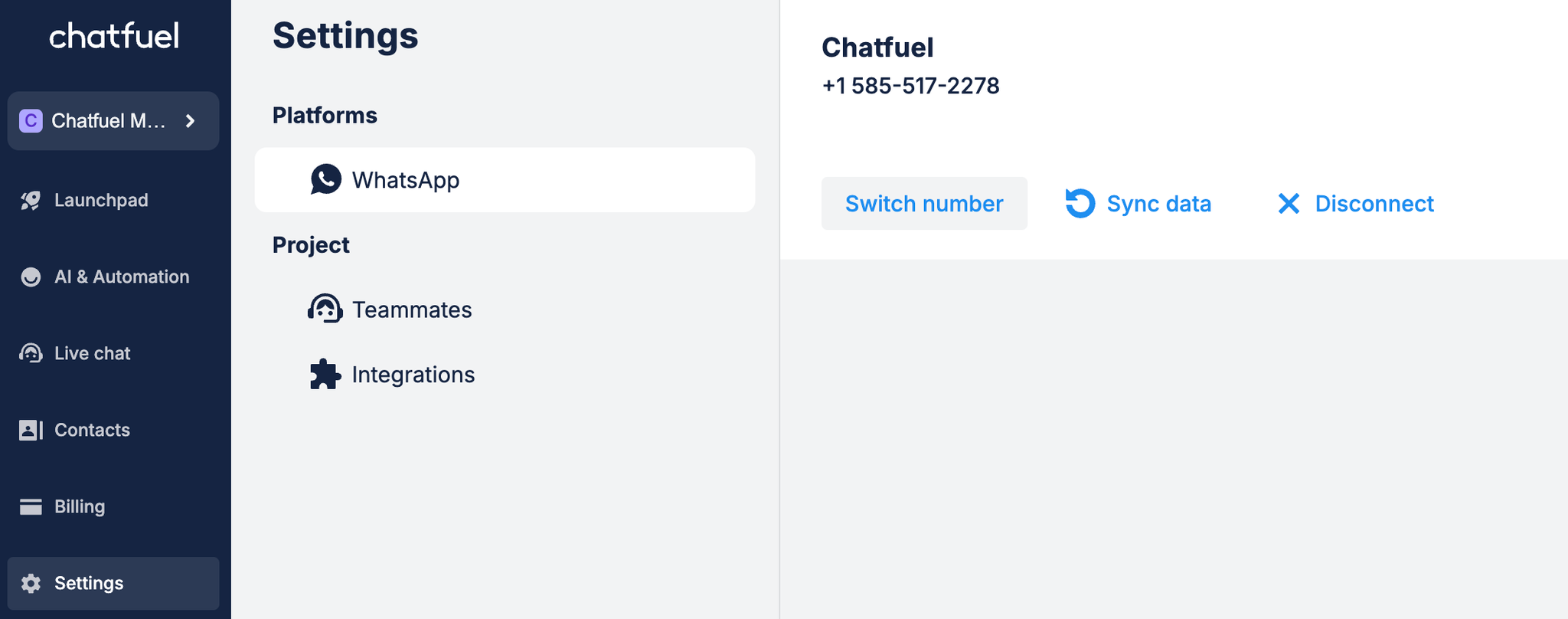
Before you start, make sure you have all the required permissions ⬈
Connecting new phone number
1. Open
Settings → WhatsApp.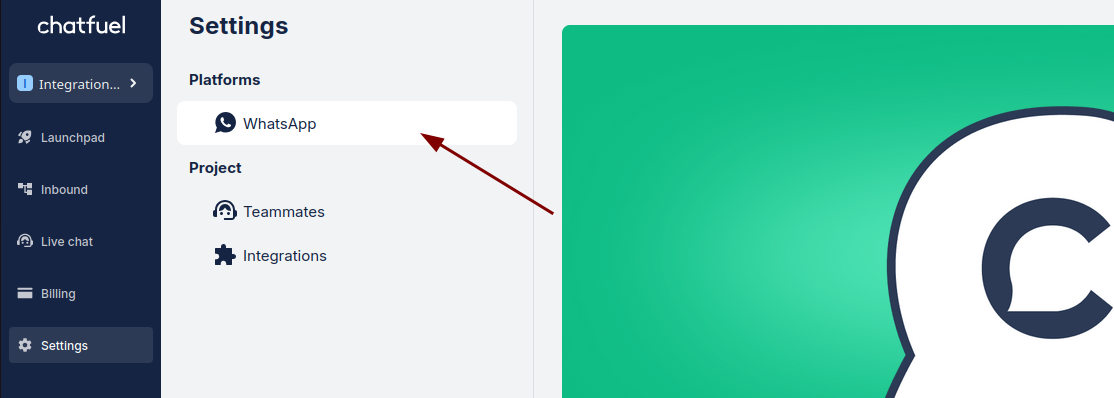
2. Click on
Add number on the right.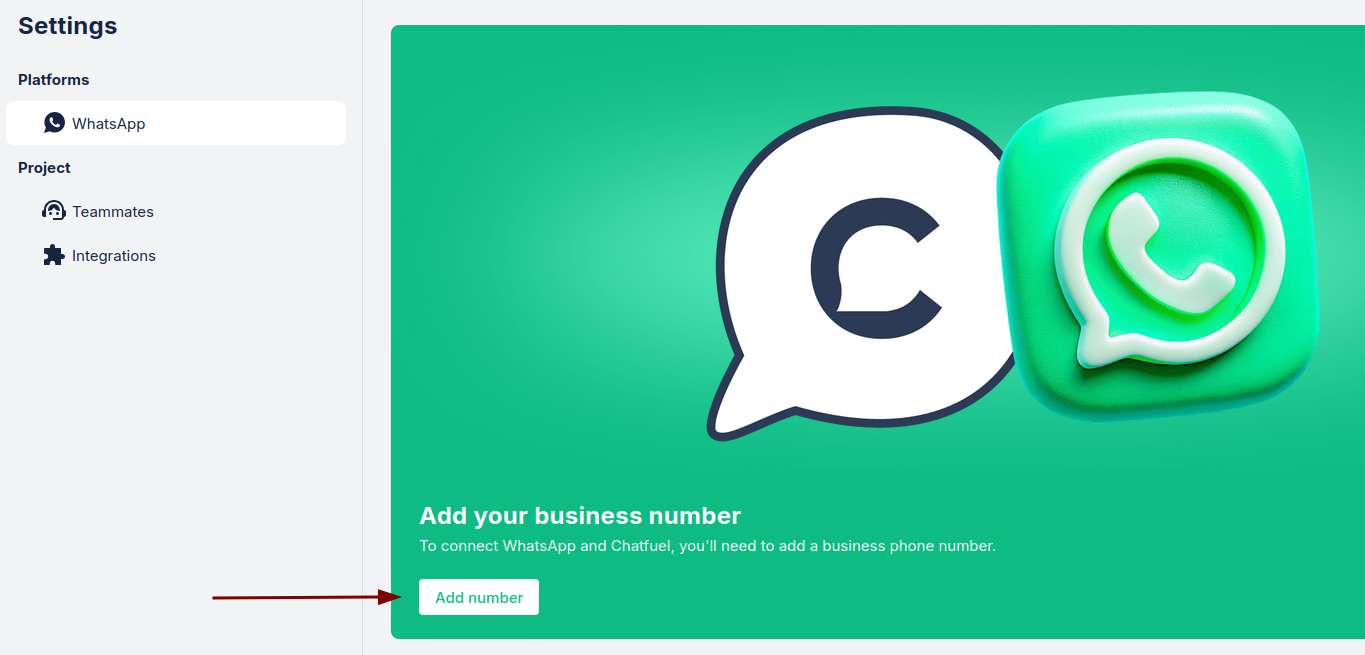
3. Click
Continue as … to log in to your account.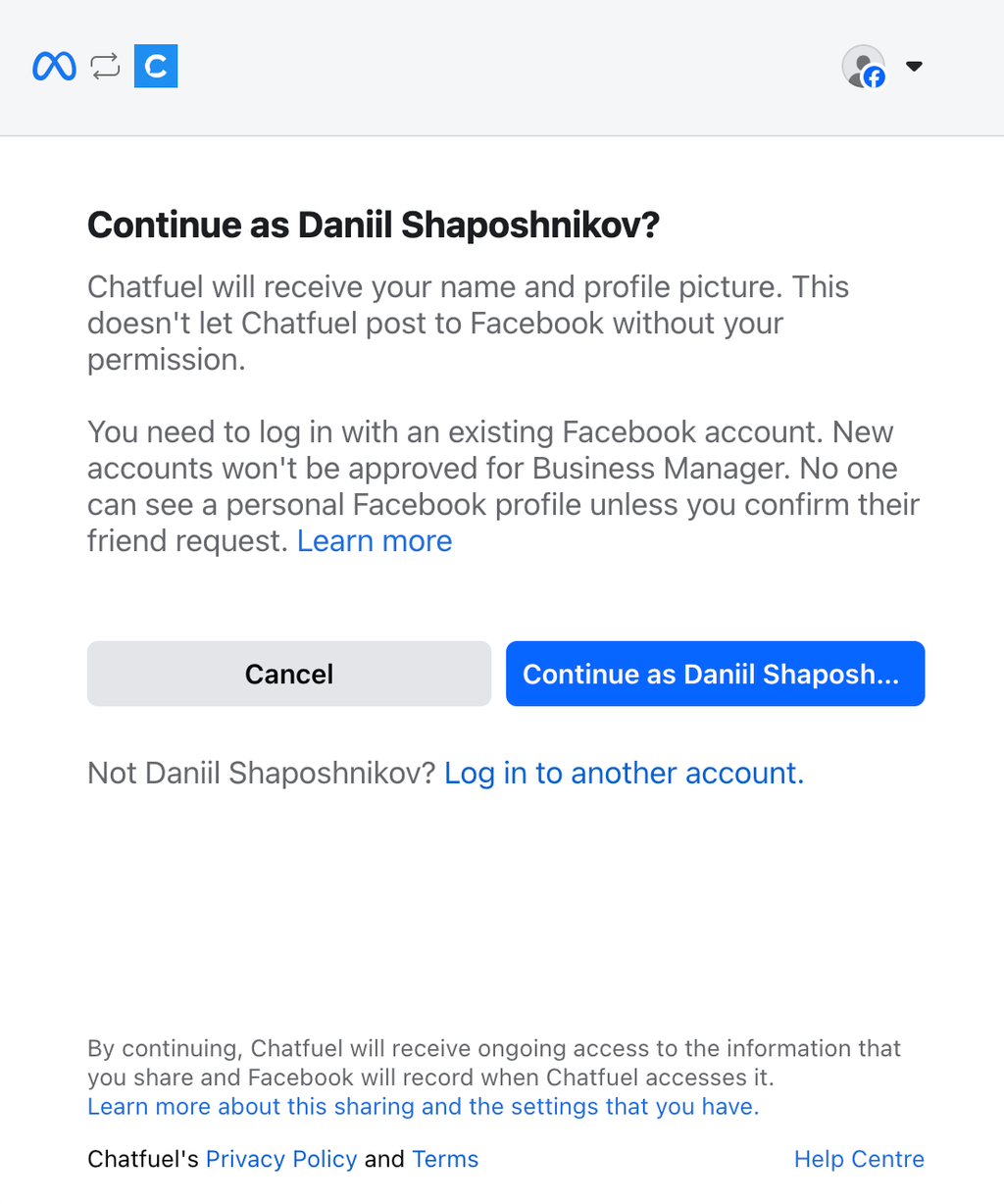
4. Click
Get started to set up a Business Account and phone number.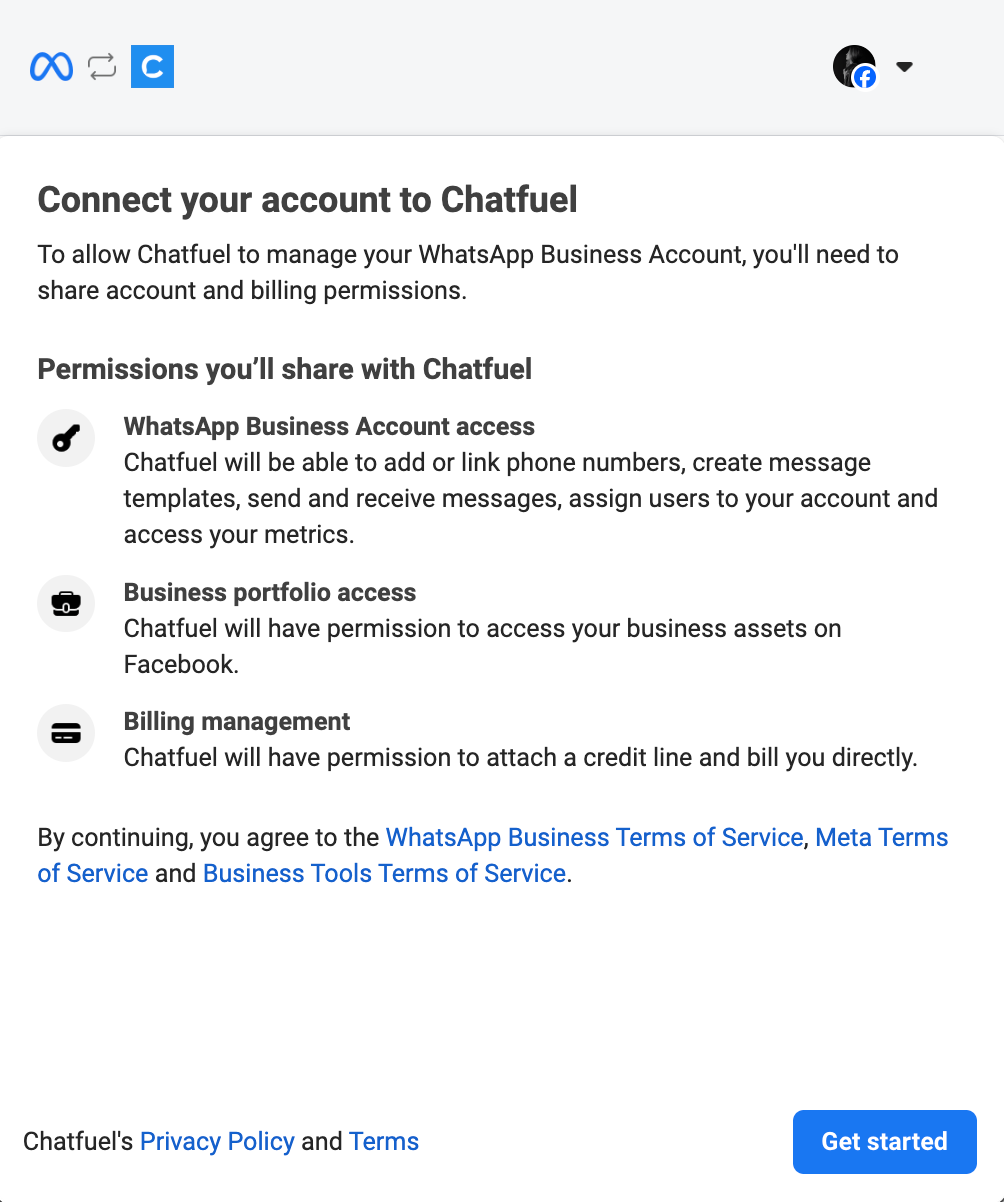
5. Click
Continue to connect your account to Chatfuel. Here you have two options.
Existing account: If you already have a Meta business portfolio, chose it from the list and click
Next.New account: If you don’t have a Meta business portfolio, you need to create a new one, filling Business name, email address, website URL and Country, and click
Next.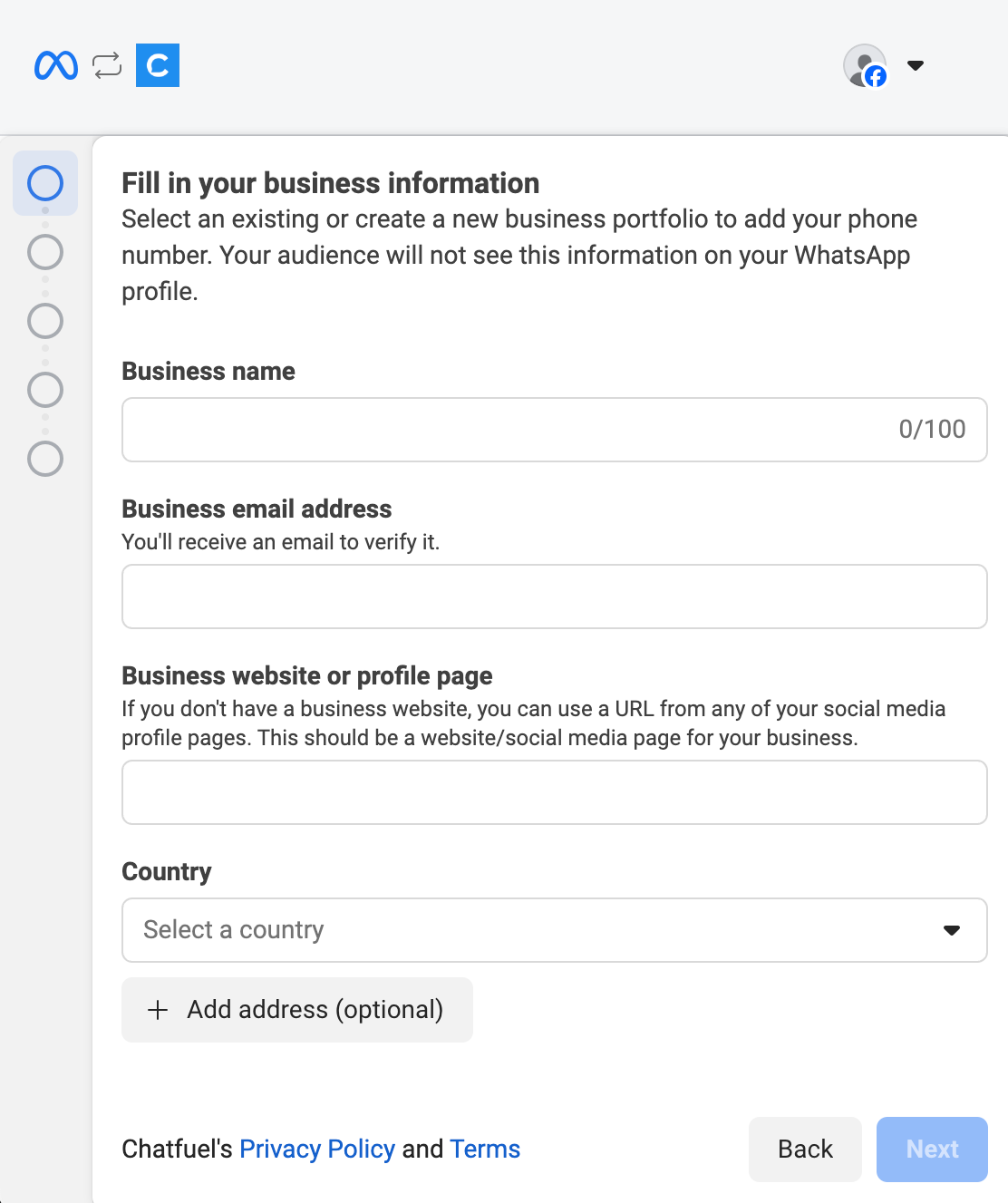
6. Choose
Create new WhatsApp Business profile or use an already existing account, and click Next.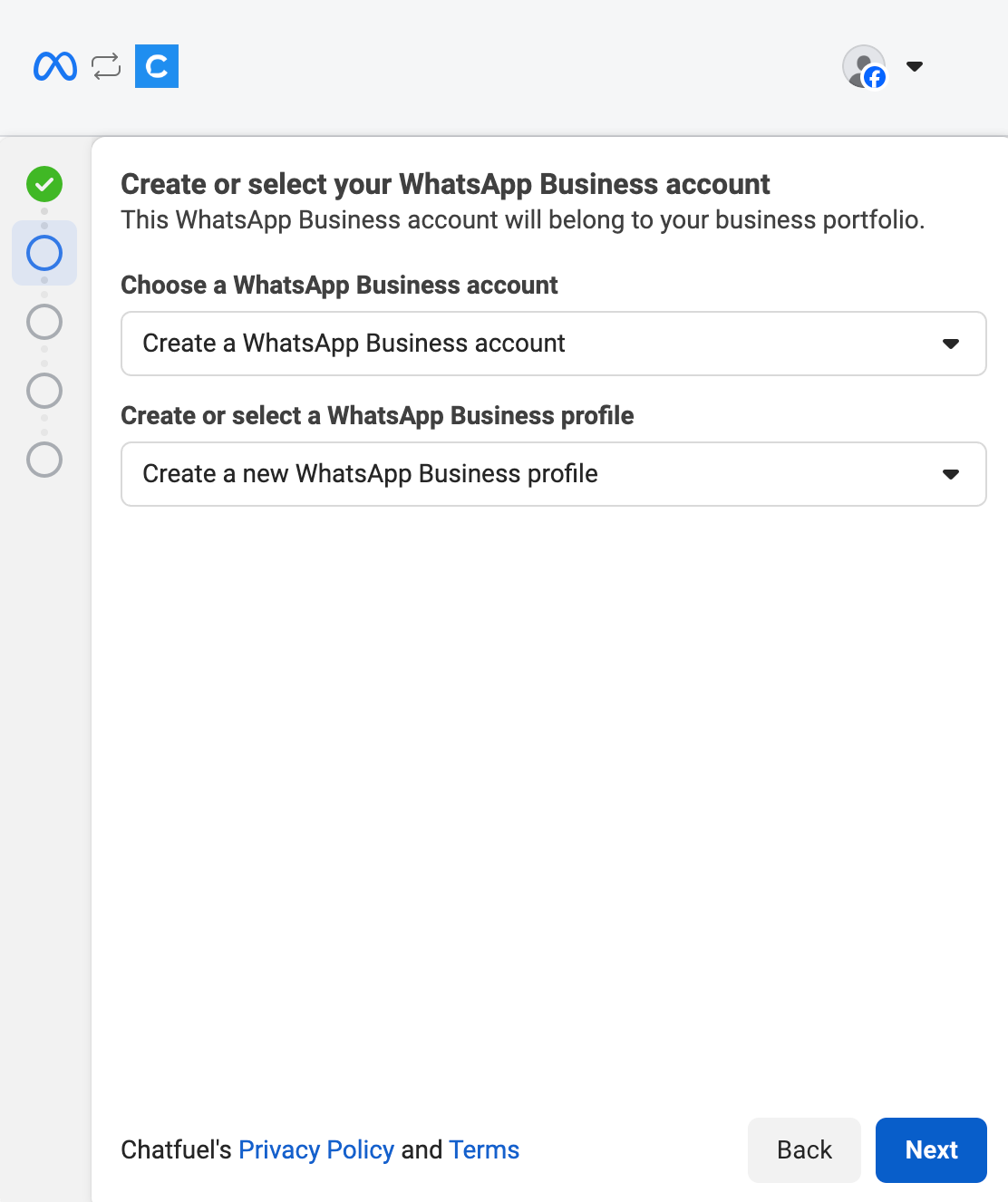
7. Fill in WhatsApp business account name, display name, Category and click
Next.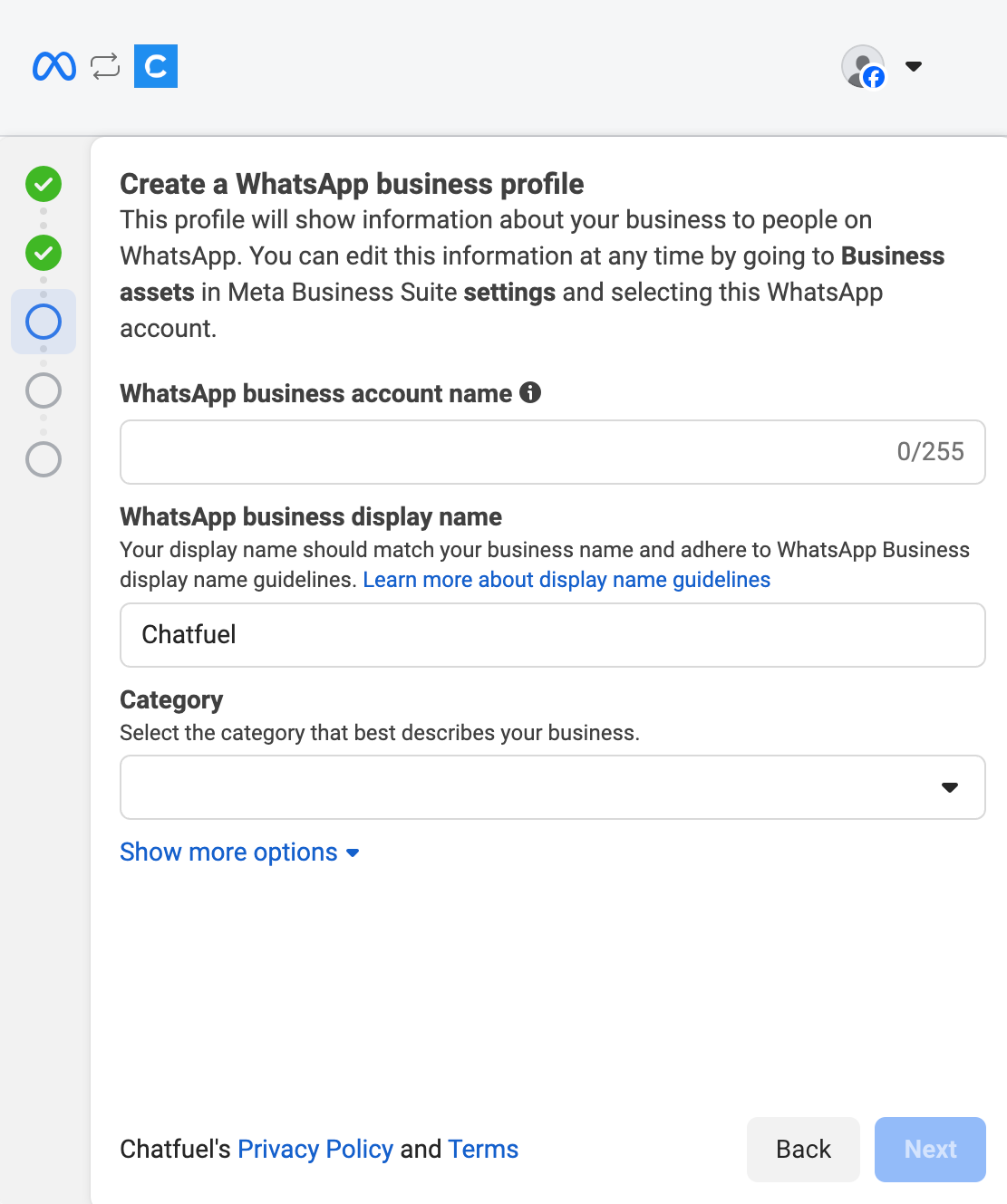
8. Add your own number and choose verification method, and click
Next.
9. Verify your phone number and hit
Next on the next screen to finish the setup.10. Click
Save to confirm access request.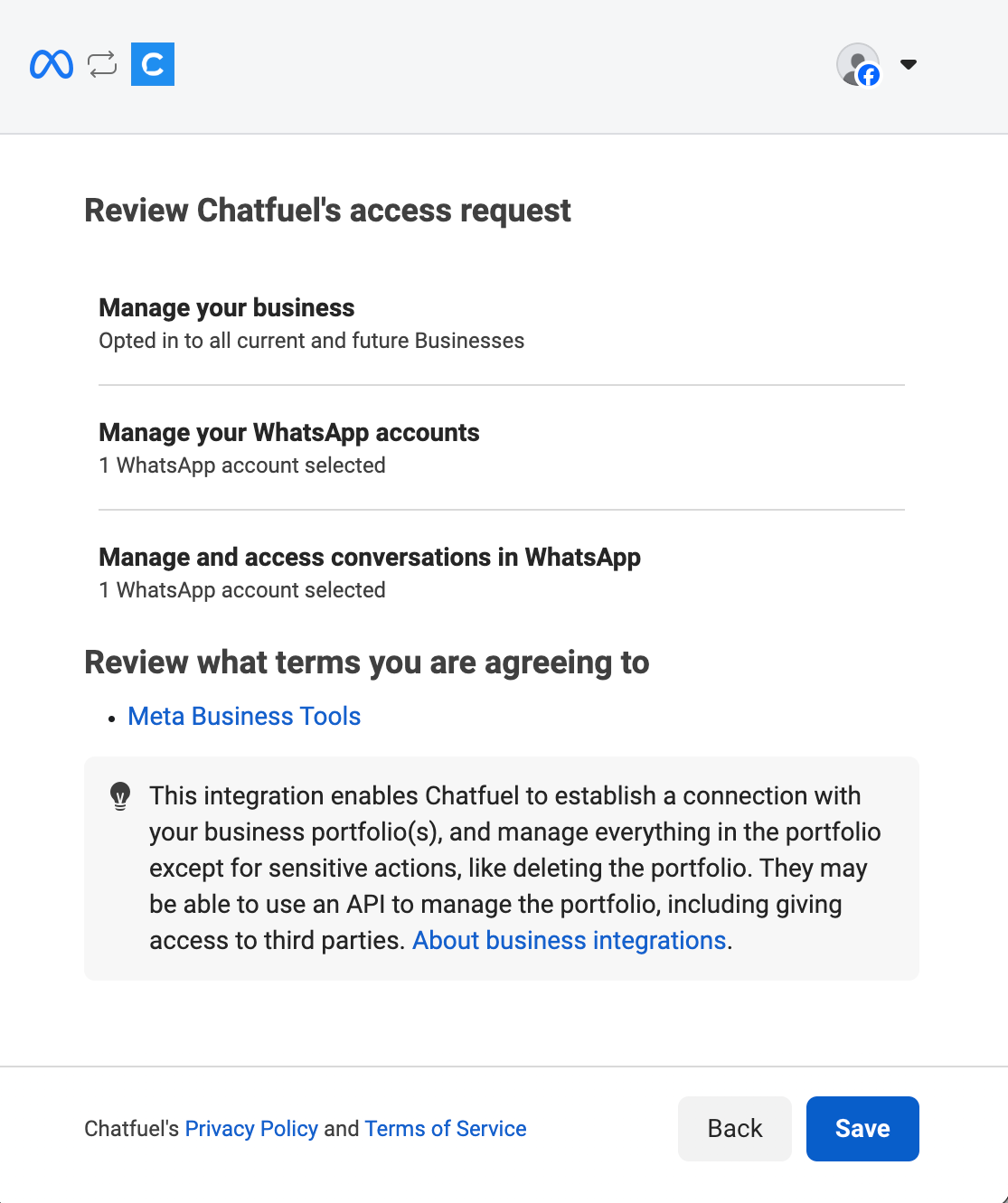
11. Click
Finish to complete the setup.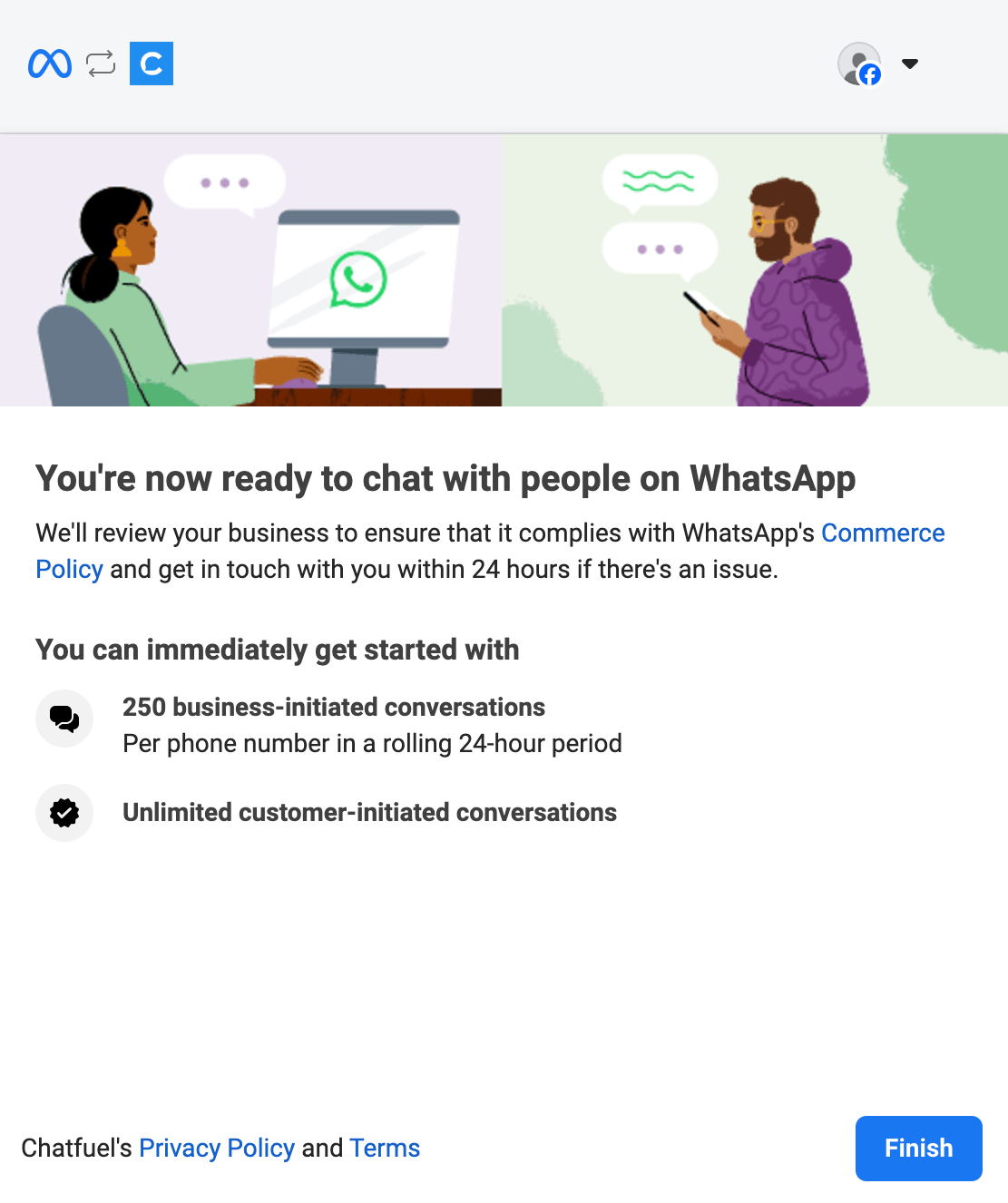
12. Done ✔ Your WhatsApp number is now connected to Chatfuel.